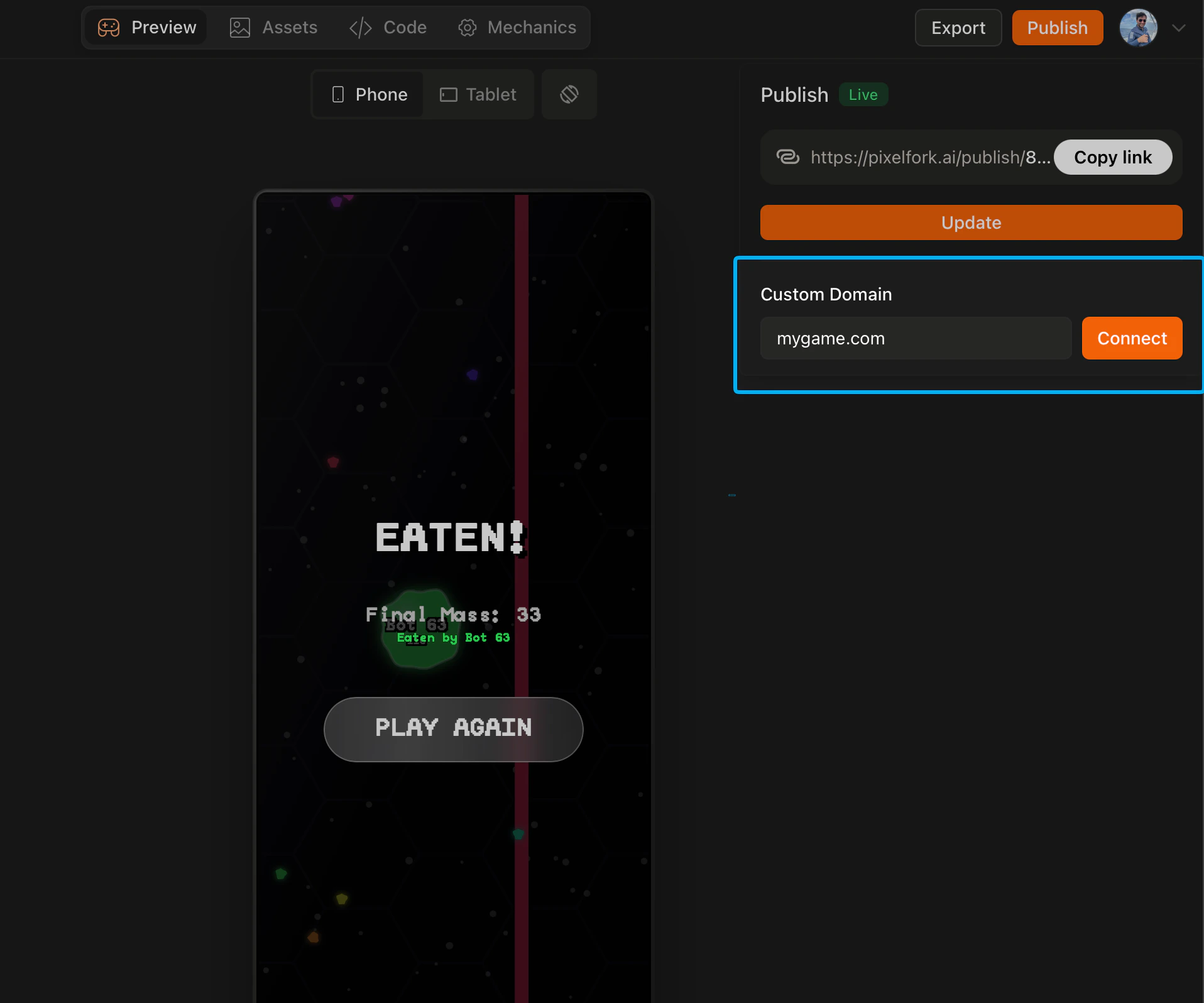
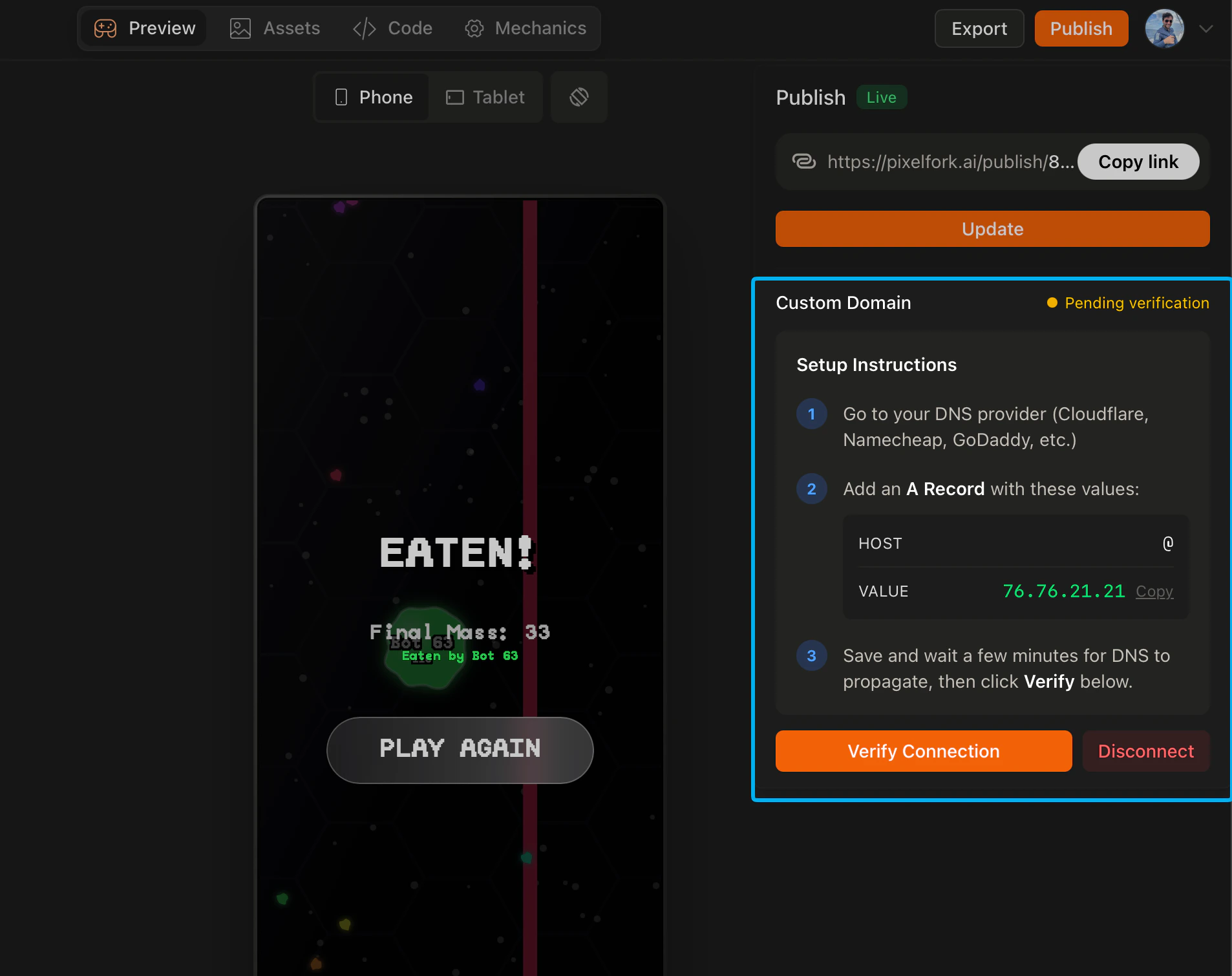
By default your published game lives at pixelfork.ai/publish/.... With a Pro plan you can connect your own domain so your game is accessible at a URL you own — like mygame.com. How to set it up Go to your domain registrar (wherever you purchased your domain) and add a new DNS A Record with the following values:
  • Host: @
  • Value: 76.76.21.21
Save the record, then go back to Pixelfork and verify the connection inside the editor. Once verified, your game will be live on your custom domain.
SCR 20260421 Nsvd
SCR 20260421 Nrxm
How long it takes DNS changes can take anywhere from a few minutes to 24 hours to propagate depending on your domain registrar. If your domain isn’t connecting immediately, wait a bit and try verifying again. Why use a custom domain A custom domain makes your game feel like a standalone product rather than a Pixelfork project. It’s especially useful if you’re launching publicly, running marketing campaigns, or building a brand around your game.