> ## Documentation Index
> Fetch the complete documentation index at: https://docs.pixelfork.ai/docs/llms.txt
> Use this file to discover all available pages before exploring further.
# Custom domain Setup
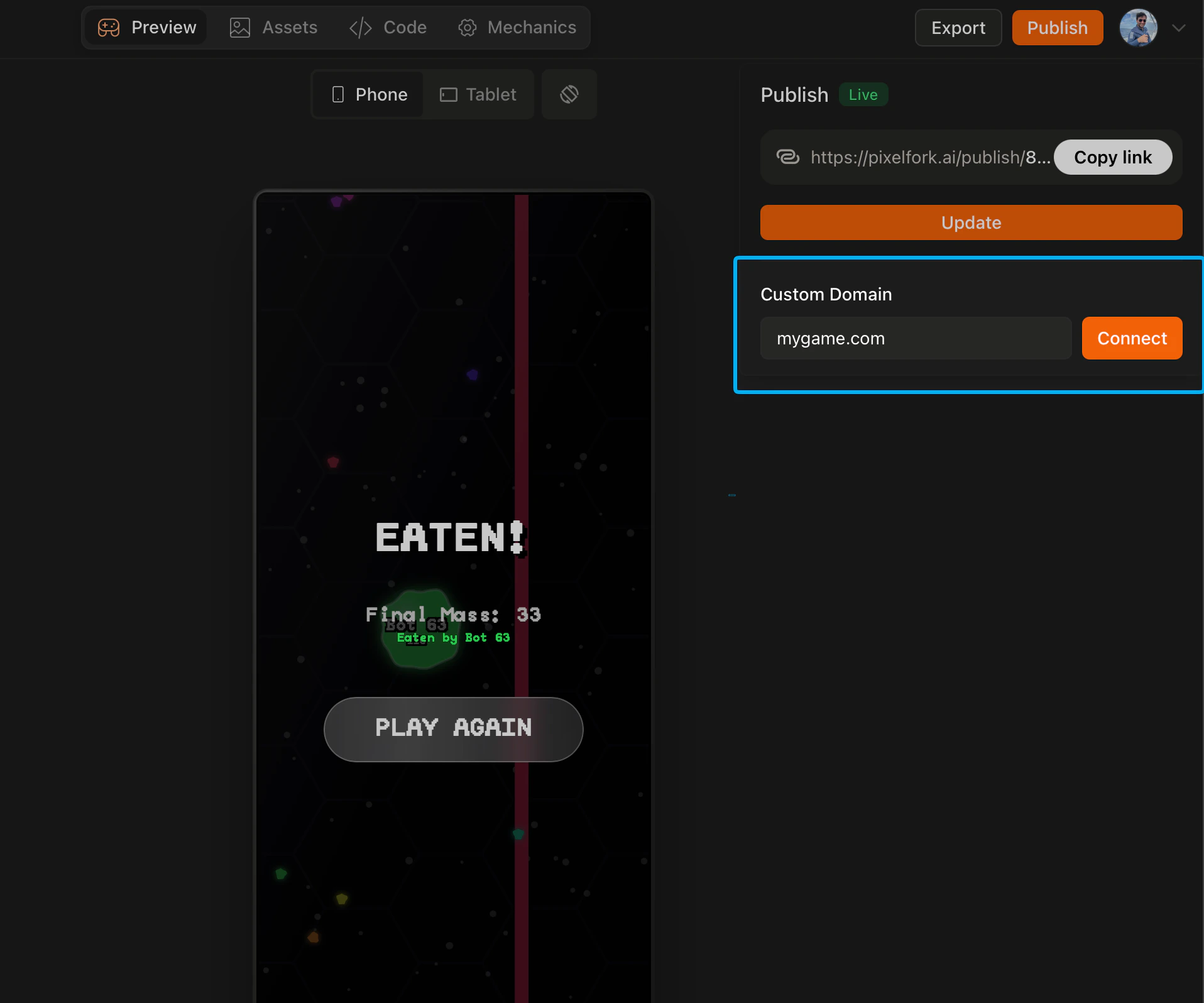
By default your published game lives at `pixelfork.ai/publish/...`. With a Pro plan you can connect your own domain so your game is accessible at a URL you own — like `mygame.com`.
**How to set it up**
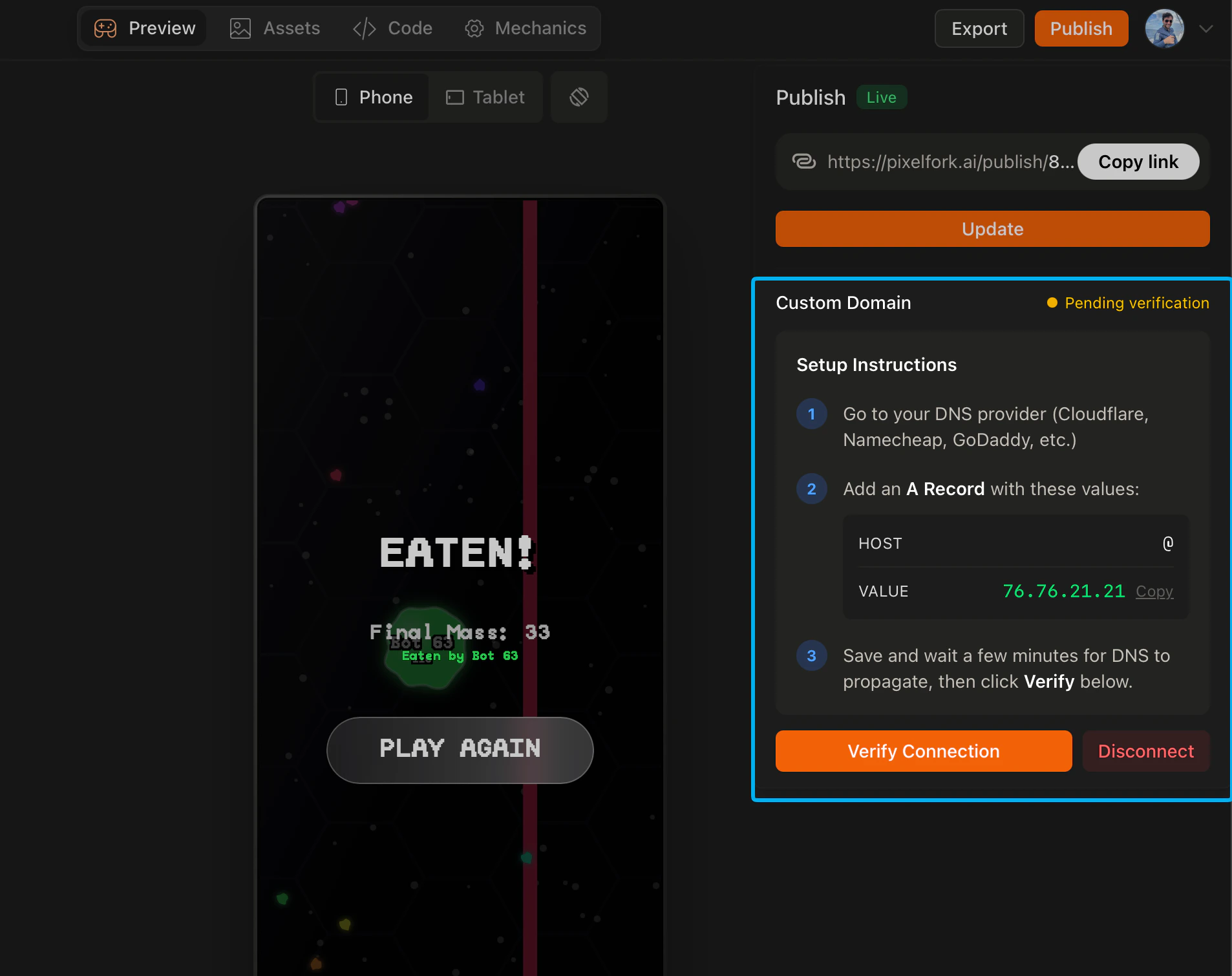
Go to your domain registrar (wherever you purchased your domain) and add a new DNS A Record with the following values:
* **Host:** `@`
* **Value:** `76.76.21.21`
Save the record, then go back to Pixelfork and verify the connection inside the editor. Once verified, your game will be live on your custom domain.
 **How long it takes**
DNS changes can take anywhere from a few minutes to 24 hours to propagate depending on your domain registrar. If your domain isn't connecting immediately, wait a bit and try verifying again.
**Why use a custom domain**
A custom domain makes your game feel like a standalone product rather than a Pixelfork project. It's especially useful if you're launching publicly, running marketing campaigns, or building a brand around your game.
***
**How long it takes**
DNS changes can take anywhere from a few minutes to 24 hours to propagate depending on your domain registrar. If your domain isn't connecting immediately, wait a bit and try verifying again.
**Why use a custom domain**
A custom domain makes your game feel like a standalone product rather than a Pixelfork project. It's especially useful if you're launching publicly, running marketing campaigns, or building a brand around your game.
***